Why a credentials store?
Never hardcode passwords, tokens, or API keys in a Jenkinsfile or Freestyle shell. Jenkins has a built-in Credentials Store so secrets stay out of Git and out of job config screenshots.
Add credentials
- Manage Jenkins → Credentials → System → Global credentials
- Add Credentials
- Choose kind, set an ID you will reference in pipelines, then Create
Credential ID
The ID (for example dockerhub-credentials) is the stable name used in withCredentials and credentials('...'). Changing the secret later does not require editing the Jenkinsfile if the ID stays the same.
Types you need for Day 3
| Kind | Used for |
|---|---|
| Username with password | GitHub user + PAT; Docker Hub user + password/token |
| Secret text | API tokens (Slack, etc.) |
| SSH Username with private key | Agent SSH / deploy hosts (Day 4) |
| Secret file | .env, kubeconfig |
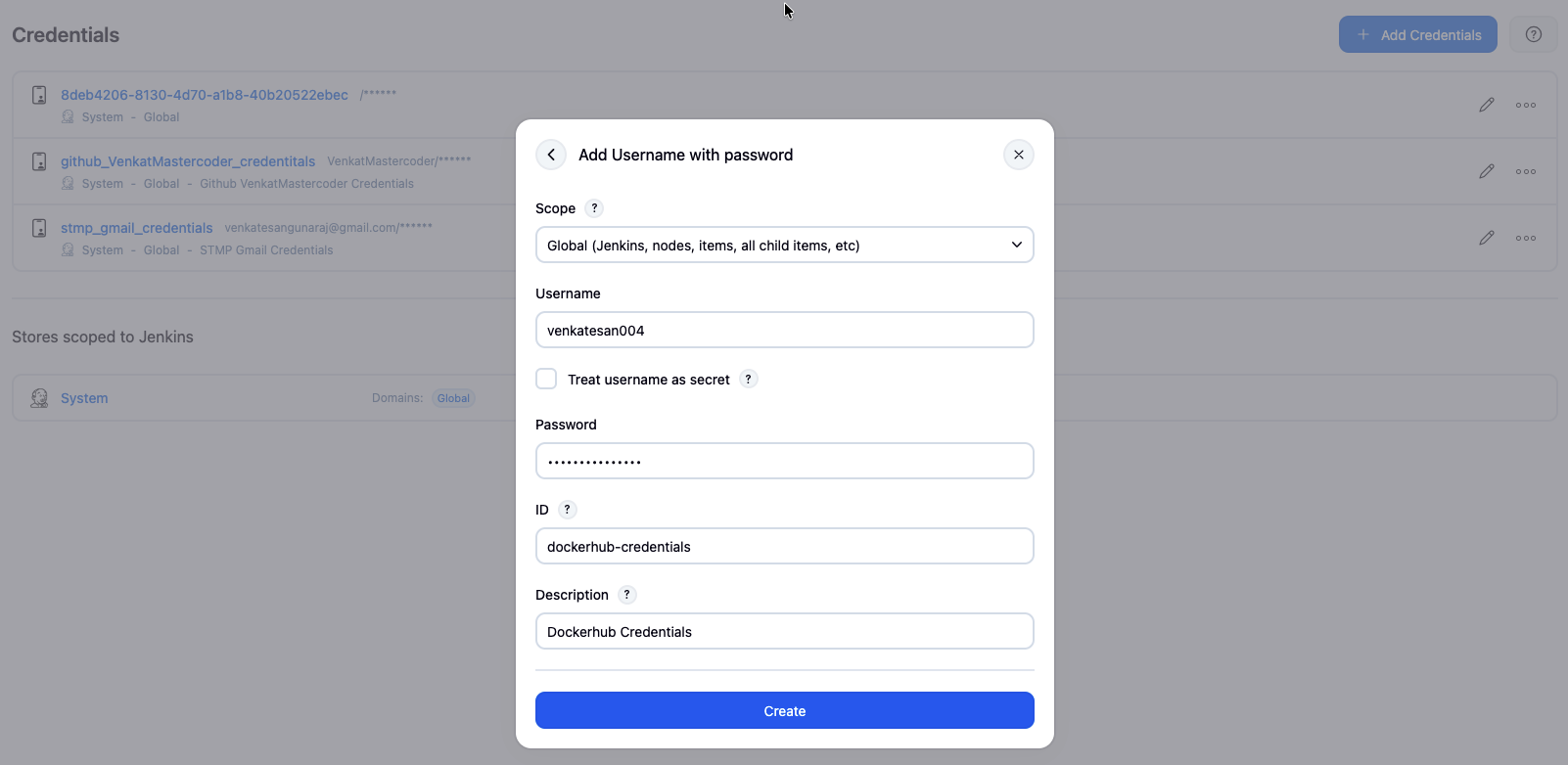
Docker Hub credentials (Project 3)
- Add Credentials
- Kind: Username with password
- Username: your Docker Hub username
- Password: Docker Hub password or access token
- ID:
dockerhub-credentials - Save
Using credentials in a Jenkinsfile
withCredentials (recommended scope)
withCredentials([usernamePassword(
  credentialsId: 'dockerhub-credentials',
  usernameVariable: 'DOCKER_USER',
  passwordVariable: 'DOCKER_PASS'
)]) {
  sh 'echo $DOCKER_PASS | docker login -u $DOCKER_USER --password-stdin'
}
Environment binding
environment {
  DOCKER_CREDS = credentials('dockerhub-credentials')
  // Creates DOCKER_CREDS_USR and DOCKER_CREDS_PSW
}
Prefer per-stage withCredentials over binding secrets globally when possible. Never echo a secret — masking helps but is not perfect.
Day 4 expands this with SSH keys, secret files, rotation, and auditing.