What are triggers?
Triggers define when Jenkins should start a job automatically.
Common trigger types
| Trigger | Behavior |
|---|---|
| Poll SCM | Jenkins checks the repo on a schedule and builds if something changed |
| Build Periodically | Runs on a schedule like cron — even if nothing changed |
| GitHub webhook | Real-time build on every git push (Day 3) |
Today you configure Poll SCM. Webhooks come in Project 2 / Day 3.
Configure Poll SCM
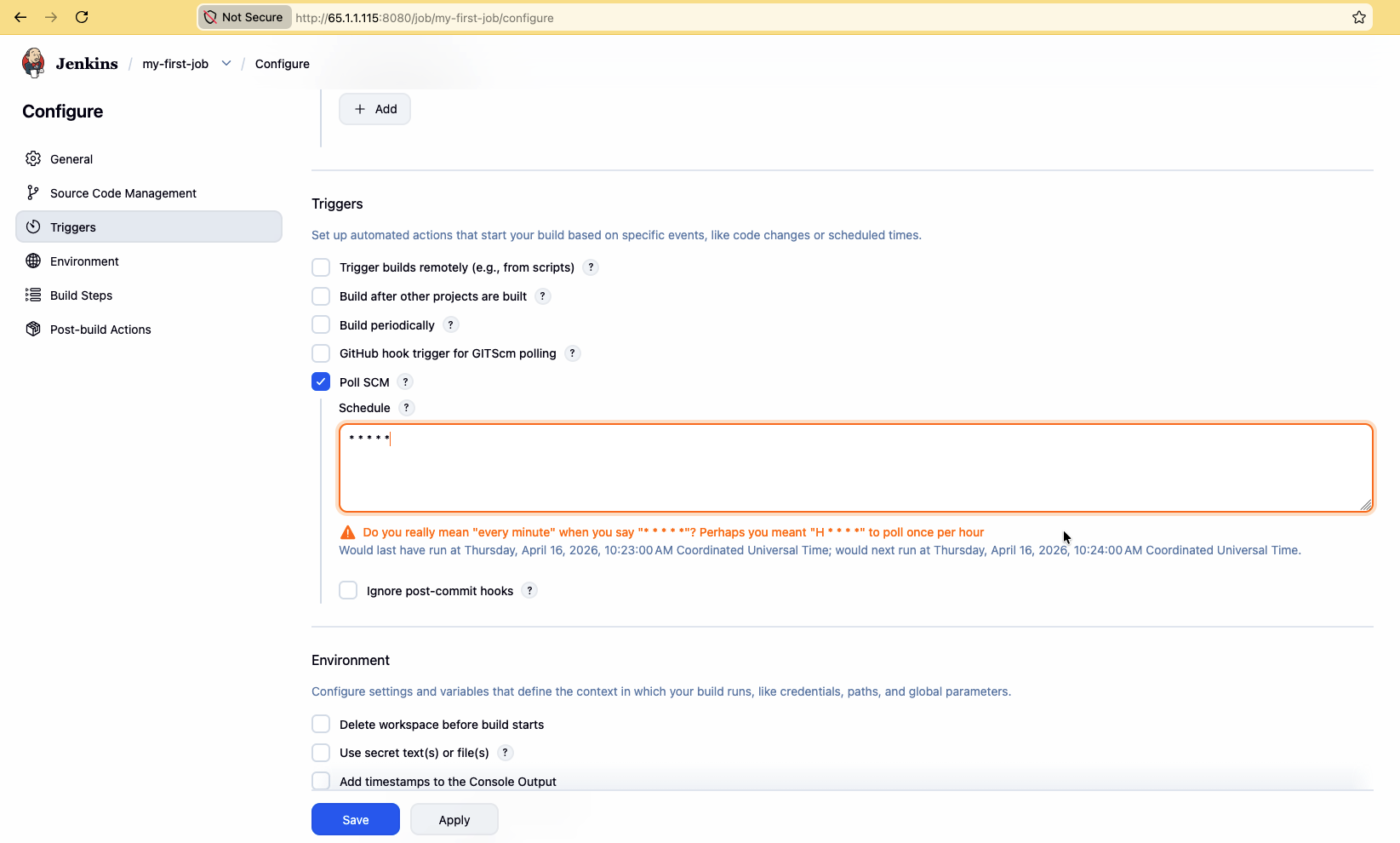
- Open your Freestyle job → Configure
- Find Build Triggers
- Check Poll SCM
- Schedule (Jenkins cron):
* * * * *
That means every minute. Use crontab.guru to design other schedules.
Examples:
| Expression | Meaning |
|---|---|
H/5 * * * * | Roughly every 5 minutes (hashed minute) |
H 2 * * * | Once a day around 2 AM |
0 * * * * | Top of every hour |
Prefer H (hash) over fixed minutes in shared Jenkins — it spreads load so not every job fires at :00.
- Save and wait. If the repo changes (or already differs), Jenkins queues a build automatically.
Poll SCM vs webhook (preview)
Poll SCM:  Jenkins asks GitHub "anything new?" on a timer
Webhook:   GitHub tells Jenkins "push happened" instantly
Polling is simple and works without opening inbound ports to GitHub. Webhooks are faster and cheaper on API rate limits — you will configure them on Day 3.
Automatic builds checklist
- Job has valid Git SCM URL + credentials
- Branch specifier matches the repo
- Poll SCM schedule is saved
- At least one successful manual Build Now first (proves the job itself works)