Why Master–Agent?
As your team grows, you distribute builds across machines.
| Role | Responsibility |
|---|---|
| Master / Controller | Scheduling, UI, plugins, job history — should not run heavy builds in production |
| Agent / Node | Executes builds; can be specialized by OS, tools, or environment |
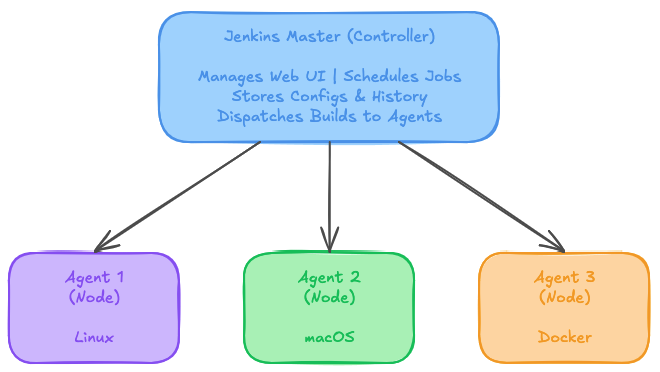
GitHub Push
   ↓
Jenkins Master
   ↓
Agent (EC2)
   ↓
Build + Test + Docker + Deploy
Step 1 — Launch an agent EC2
- Launch another Ubuntu EC2 (agent)
- Attach Elastic IP if useful for labs
- Security group: allow SSH from the Jenkins master (not
0.0.0.0/0in production)
For production inbound rules, allow SSH only from the Jenkins controller (or bastion). Do not open SSH to the world.
Step 2 — Prepare the agent
On the agent EC2:
sudo apt update
sudo apt install -y docker.io nodejs npm

sudo systemctl start docker
sudo systemctl enable docker
sudo usermod -aG docker ubuntu
newgrp docker
Verify:
node -v
npm -v
docker -v
Step 3 — Add the agent in Jenkins
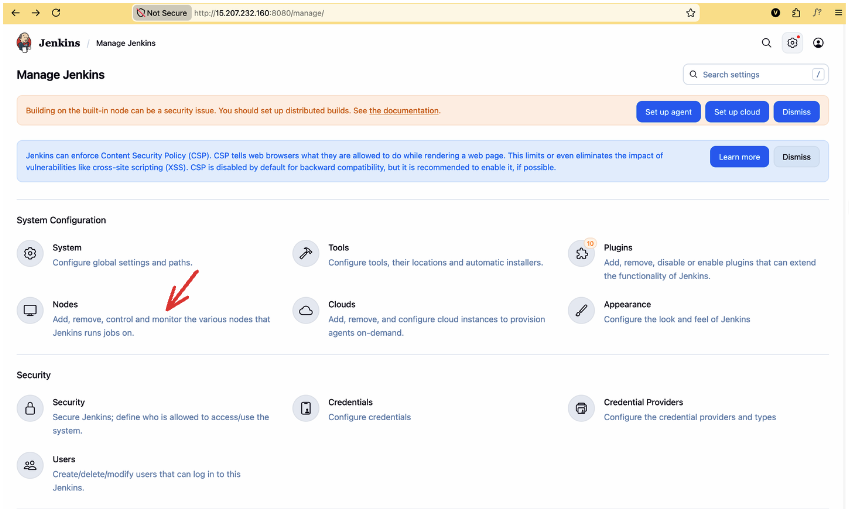
- Manage Jenkins → Nodes → New Node
- Node name:
agent-ec2 - Type: Permanent Agent → Create
Configure:
| Field | Example |
|---|---|
| Remote root directory | /home/ubuntu |
| Labels | docker-agent |
| Launch method | Launch agents via SSH |
| Host | Agent private/public IP |
| Credentials | SSH Username with private key (ubuntu + .pem) |
Save. Jenkins attempts to connect.
Step 4 — Verify
Manage Jenkins → Nodes should show:
agent-ec2 → ONLINE
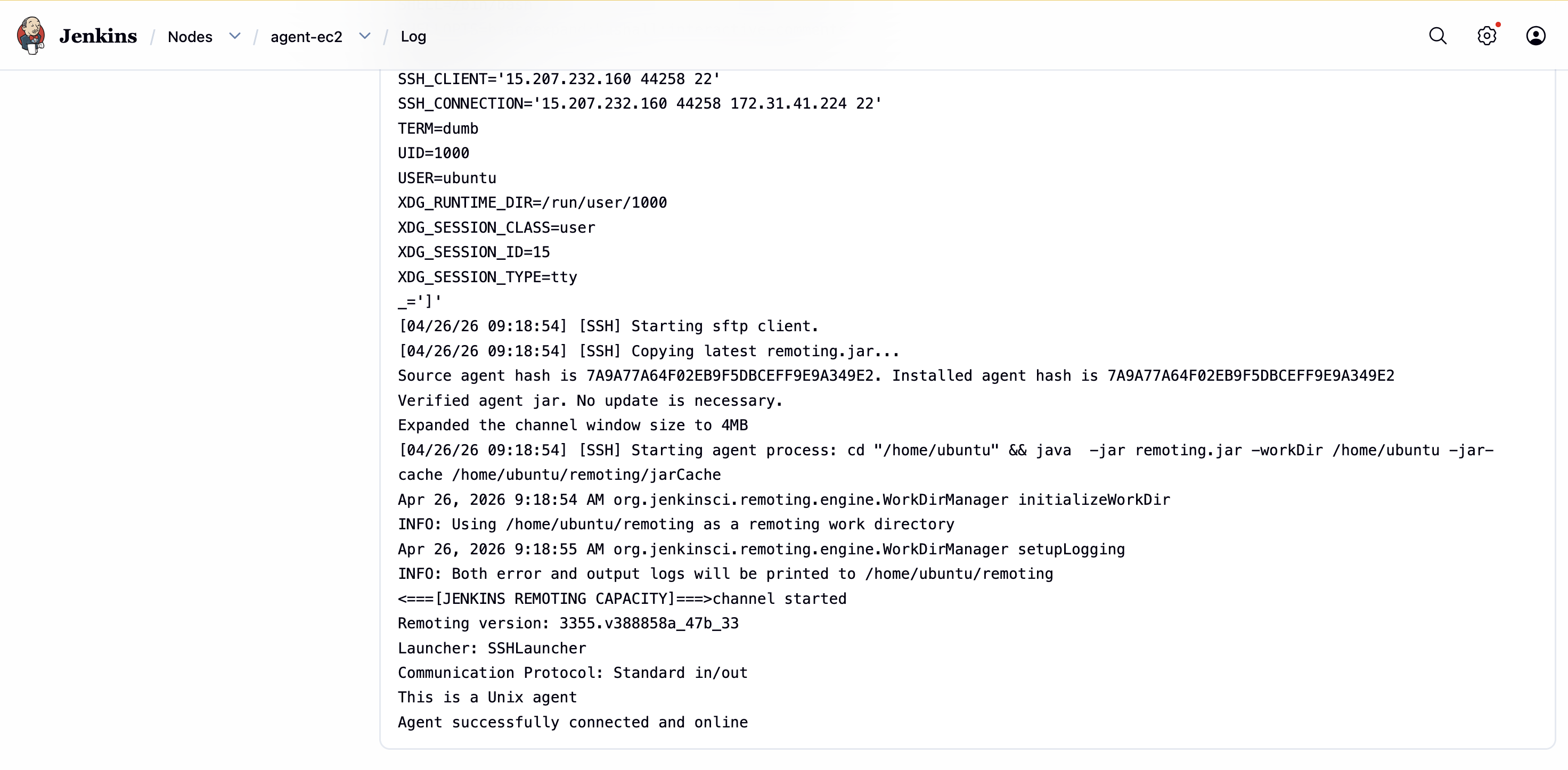
The label docker-agent is what Jenkinsfiles will target.
Using agents in a Jenkinsfile
Entire pipeline on one agent
pipeline {
  agent { label 'docker-agent' }

  stages {
    stage('Build') {
      steps {
        sh 'make build'
      }
    }
  }
}
Different stages on different agents
pipeline {
  agent none

  stages {
    stage('Build on Linux') {
      agent { label 'linux' }
      steps { sh 'npm run build' }
    }

    stage('Test on Docker') {
      agent {
        docker {
          image 'node:18-alpine'
          label 'docker-agent'
        }
      }
      steps { sh 'npm test' }
    }

    stage('Deploy') {
      agent { label 'production' }
      steps { sh './deploy.sh' }
    }
  }
}
Agent launch methods
| Method | When to use |
|---|---|
| SSH | Linux/macOS agents — most common in this course |
| JNLP (inbound) | Agents behind a firewall; Windows |
| Docker | Ephemeral agents per build |
| Kubernetes | Dynamic agents in a cluster |
Hands-on: run a pipeline on the agent
- Create a Pipeline job (or reuse Project 3)
- Keep webhook / SCM config as before
- Set
agent { label 'docker-agent' }in the Jenkinsfile (commit + push) - Confirm the build runs on
agent-ec2(build page → agent name)
In a Master–Agent architecture, Jenkins separates control and execution. The master orchestrates; agents execute. That improves scalability, performance, and security.